Click-to-document map: find the terms associated with your Hipobuy actions
Twelve things people do on Hipobuy, from registering to opening a card dispute. Tick yours and the map lists each document associated with those actions in the saved page data, the law and forum it names, how it names the operator, and where two documents disagree.
The map
This is a document lookup based on the 16 October 2026 snapshot, not a record of your personal acceptance or a legal conclusion about enforceability.
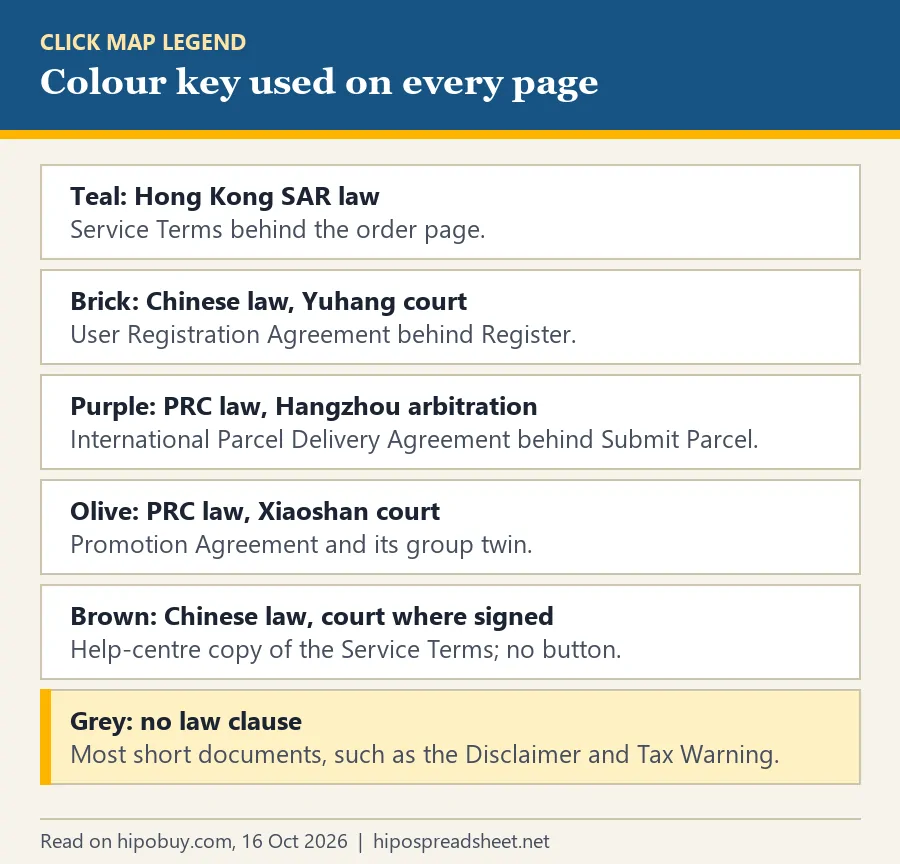
Three actions are ticked to start with, the three nearly everyone does: registering, pressing Submit on an order, and submitting a parcel. Untick them or add others. The colour bar on each card follows the key beside this text.
The line above the cards counts what your selection touches: how many actions, how many separate documents, how many different law and forum clauses among them, and how many documents name no law at all. With the three default ticks it reports eight documents and three different clauses, which is the short version of this whole site.
How to use the click map
How to use the tool, in four moves. First, tick only what you have actually done; the map is about your situation, not every document Hipobuy has. Second, read the cards. In the default view each document appears once, however many of your actions brought it, with the page it is attached to, its own law clause, its forum, how it names the operator and the wording it uses for your agreement.
Third, look at the dashed boxes. They appear when two documents behind your actions disagree, for example the five-day returns article on the order page against the 30-day line in the Registration Agreement. Each box quotes both and says which one the facts file for this lane treats as governing. Fourth, follow the link on any card to the notice page on hipobuy.com and read the current text; our date is on every card.
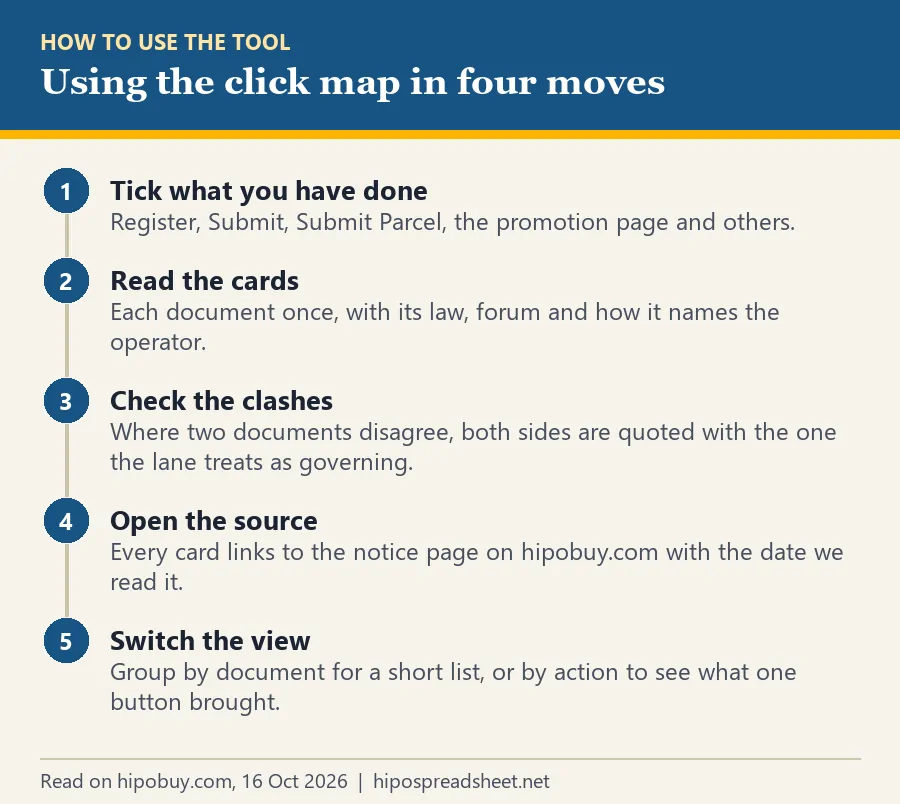
Switch to Group by action to see the same documents listed under each thing you ticked. That view is longer but answers a different question: what did this one button bring with it.
Where the button-to-document links come from
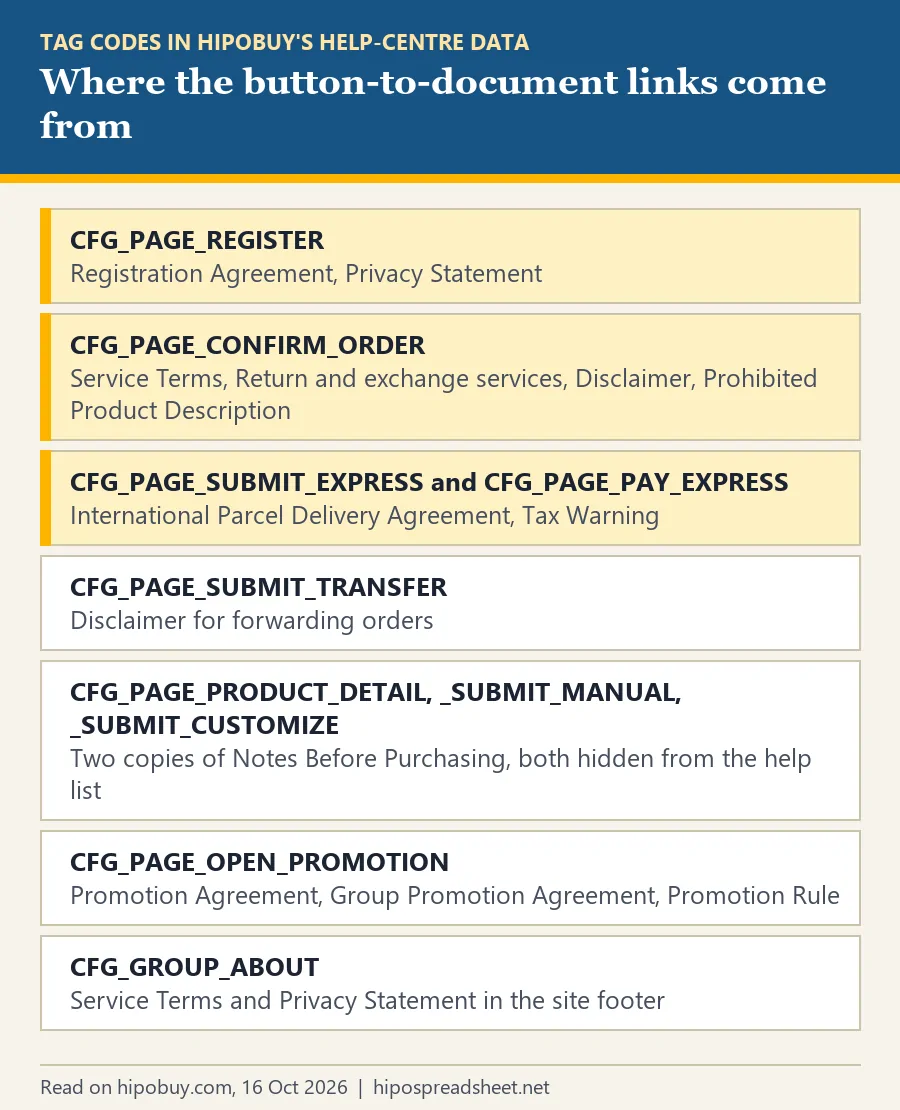
The links between buttons and documents are not our guesses. Hipobuy’s help-centre data gives every article a list of tags, and some tags name a page: CFG_PAGE_REGISTER, CFG_PAGE_CONFIRM_ORDER, CFG_PAGE_SUBMIT_EXPRESS, CFG_PAGE_PAY_EXPRESS, CFG_PAGE_SUBMIT_TRANSFER, CFG_PAGE_OPEN_PROMOTION and three more. We read those tags on 16 October 2026 and again before publishing.
Where we could, we matched a tag to something visible. The register page is public, and its checkbox names exactly the two tagged documents. The order page and the parcel page sit behind a login, but Hipobuy’s beginner guide contains web screenshots of both, uploaded in August 2025, and the agree lines in those screenshots name the same documents as the tags. Two documents, both called Notes Before Purchasing, are tagged to the product page and the manual order pages yet hidden from the help-centre list; the map includes them and says so.
What the click map does not tell you
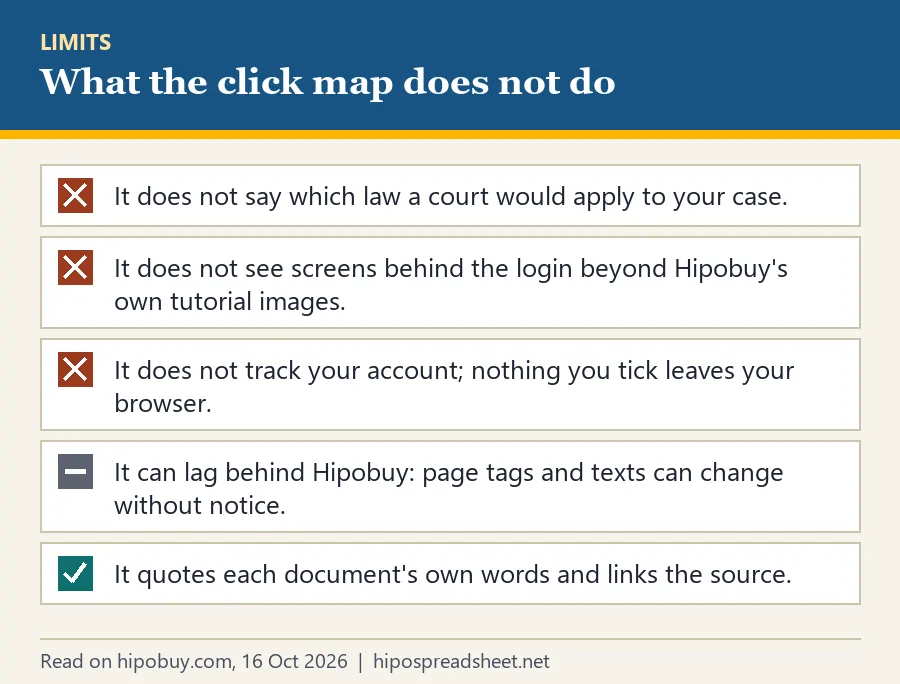
The map stops short of three things on purpose. It gives no legal conclusion: four documents naming four forums is a fact; which forum a court would accept for your dispute is a legal question that depends on where you live and what happened. It cannot see screens behind the login beyond the tutorial images, so a page could show a document we have not seen. And it can fall behind Hipobuy: tags and texts change without notice, which the Service Terms say outright.
It also keeps nothing. The ticks live in your browser tab and vanish when you close it. If something on a card looks wrong, write to [email protected] with the notice number and we will re-read it.